Usertypes
A Usertype is what glues all the Prism data configurations together. When Prism has converted all a users analytics data to Actions it will evaluate them against the currently active Usertypes and their associated Categories. If the Categories evaluate to true then the user is tagged with that Usertypes and the next time they request a Manifest the Modifications for all their currently tag Usertypes will be applied to the manifest before sending it to the user.
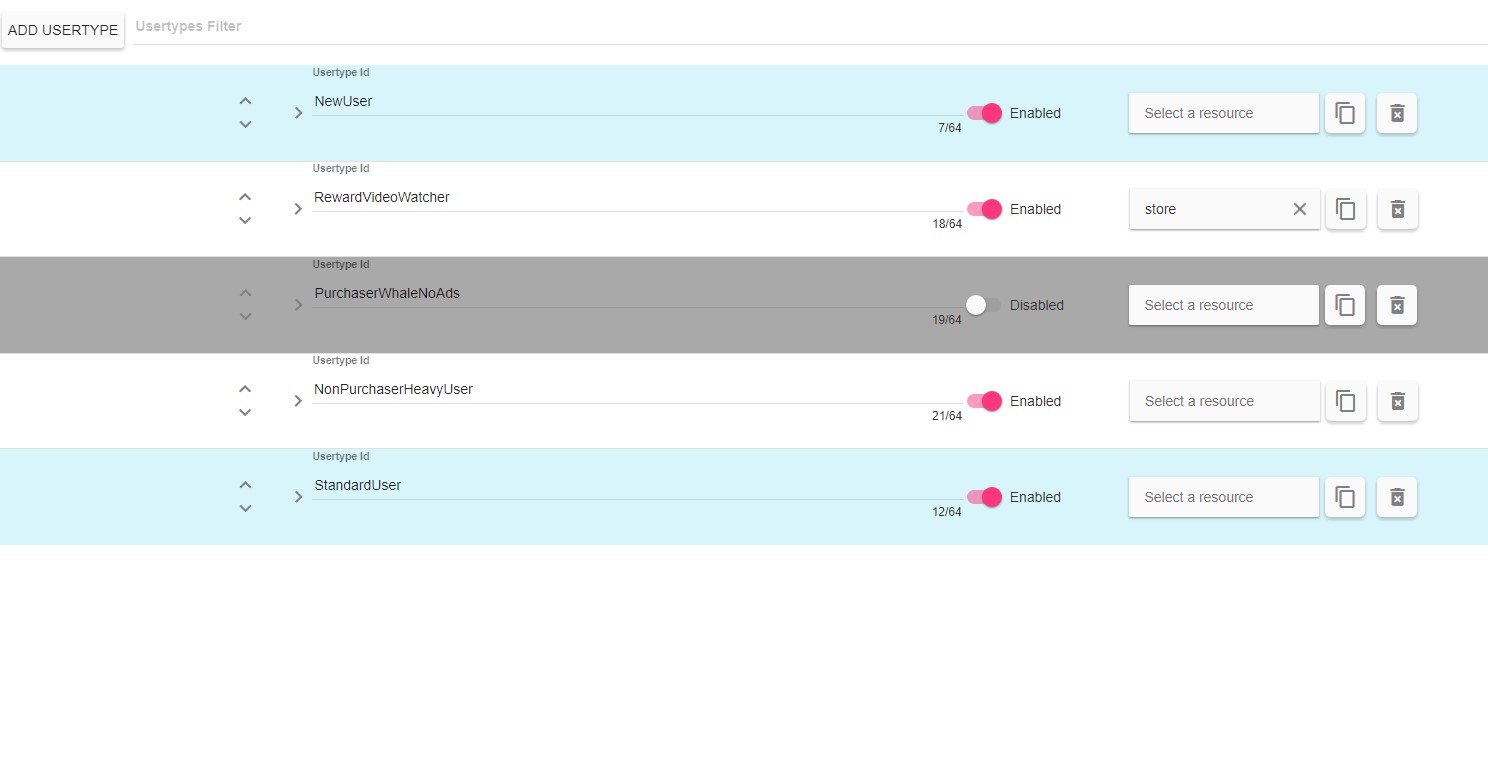
Usertype Data
A Usertype connects Categories to Modifications that will get made to their games manifest. The order of Usertypes is important because multiple can make changes to the same section of the manifest. They will get applied in reverse order, so changes made by Usertype higher in the list will override change made by ones lower in the list.

- Up / Down Arrow: Will move a usertype higher or lower in the list, affecting its priority.
- Details arrow: Changes the current view setting for the Action, clicking will toggle the current state.
- Condensed: Will show only the high-level action properties.
- Detailed: Will show subaction properties and filters.
- ID: A unique identifier that will be used to link this Usertype to the other parts of Prism
- Enabled Toggle: Toggle if a usertype is enabled, disabled usertypes will get skipped when processing against actions.
- Resource (Optional): Associate a Usertype with a resource. If multiple Usertypes are associated with the same resource only the first Usertype will get applied. For more details see Resources(TODO: Link to resource section) for more details.
- Copy: Copy of a Usertype, a new unique Id will be required.
- Delete: Delete a Usertype.
Usertype Details
To associate Categories and Modification to a Usertype, click the details arrow to expand the usertype view. To select a Category you’ll need to specify the subcategory as well, see Categories (TODO: link to Categories) for more details.
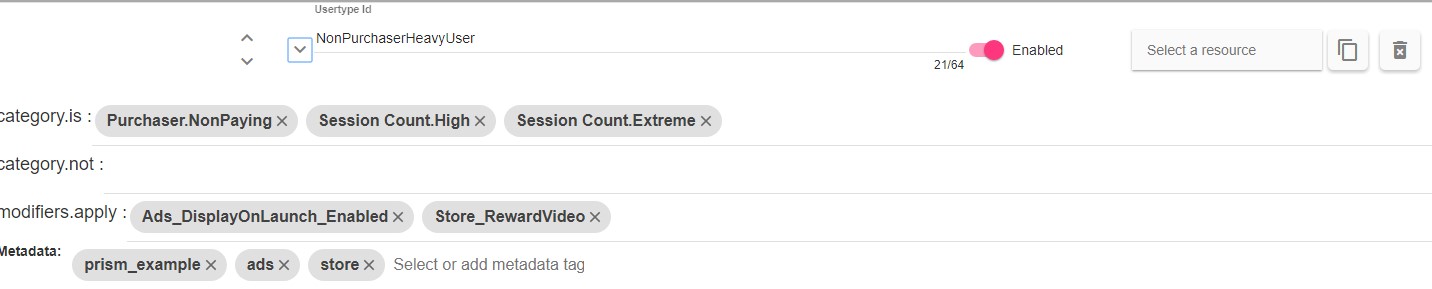
- category.is: A list of all category.subcategory that need to be true for the user to be this Usertype.
- category.not: A list of all category.subcategory that need to be false for the user to be this Usertype.
- modifications.apply: A list of modifications that will get applied to a manifest if a user is this Usertype.
- Metadata: The metadata tags associated with this action. Metadata is used by the Prism dashboard to help filter and group data elements.
- The tags field will filter and autocomplete based on previous tags used in the Prism data.
- To create a new tag enter the tag string you’d like and hit enter. This tag will be added to the autocomplete list and can be selected from other data elements.
Special Default Usertypes
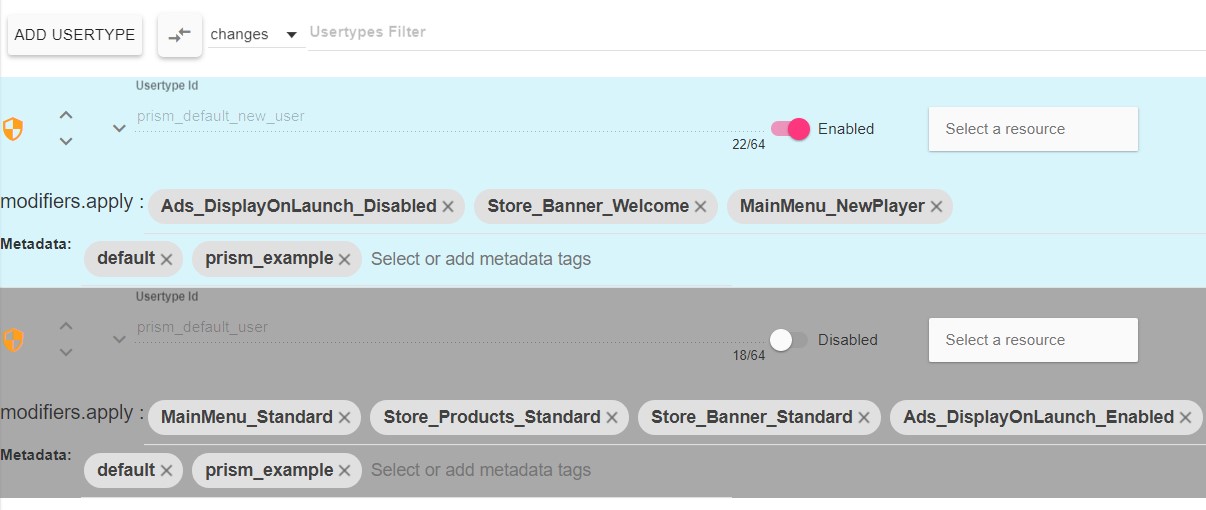
There are two special usertypes that are not associated with analytic data and will get applied automatically when requesting a manifest. These usertypes have constant ids and can’t be removed or copied. They will respect the application order and can be disabled or left with empty modifiers if you don’t want to use them.
-
prism_new_user: The first time a user is detected by the v5 system they will have the prism_new_user usertype applied to them. It will only exist the first time the game requests a manifest and will not be present during any other call.
-
prism_default_user: Is applied to every user and is useful for setting up a default state in the manifest like a base store list or main menu contents and then later usertypes can override and expand upon the base state.