View Prism Changes
It can be difficult to view how users Usertypes will end up affecting their final manifest configuration. In the diff view you can generate manifests with different usertypes to see how they will change a manifest. Once you’ve loaded your Prism data for a game the compare buttons and the usertypes selector will become active
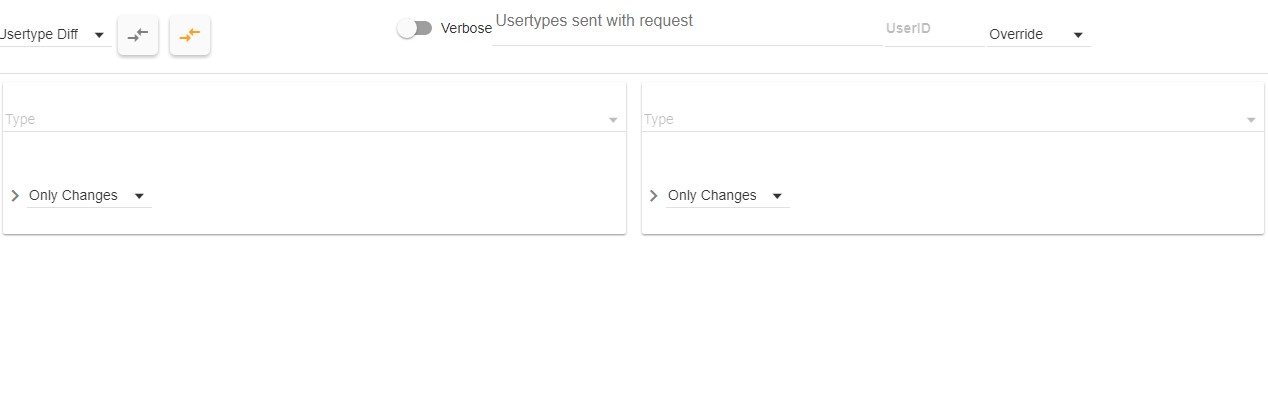
- Compare Buttons: Will generate a manifest using the entered usertypes
- Grey sends the usertypes to the server and displays the results.
- Yellow generates the manifest locally and displays the results.
- NOTE: The local manifest generation can make testing and debugging quicker and easier. It’s strongly recommended when you’re finished testing and have uploaded your prism data you validate using the server generation diff to make sure everything is working correctly remotely.
- Verbose: Will toggle verbose generation logs on or off, this will display a log of what the server did when generating the current manifest.
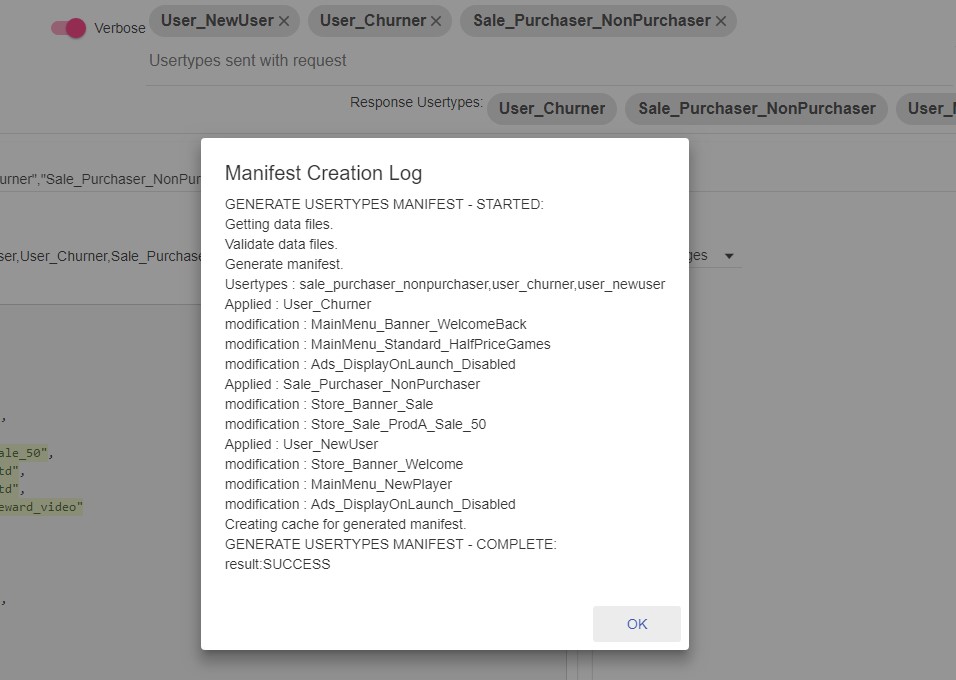
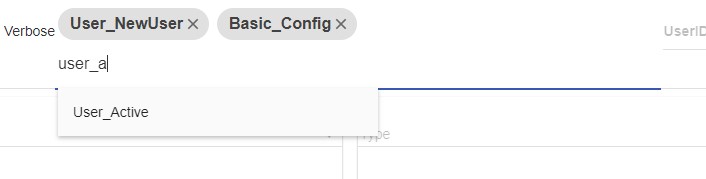
- Usertypes: An autocomplete field that will let you select usertypes to use when generating an example manifest.
- UserId: Will request a version of the manifest that has all the Usertypes currently associated with the provided userID.
- Application: This tells v5 how to apply the Usertypes if you’ve also entered a userID.
- Override: Overrides the users current Usertypes, only applying the ones provided with the request.
- Additive: Will attempt to merge the Usertypes sent with the request and the ones currently associated with the user.
Prism Diff View
The diff view will show the changes in the generated manifest. The left-hand view will automatically be assigned the last generated diff and the right-hand view can be assigned a change for easier comparisons between generated manifest.
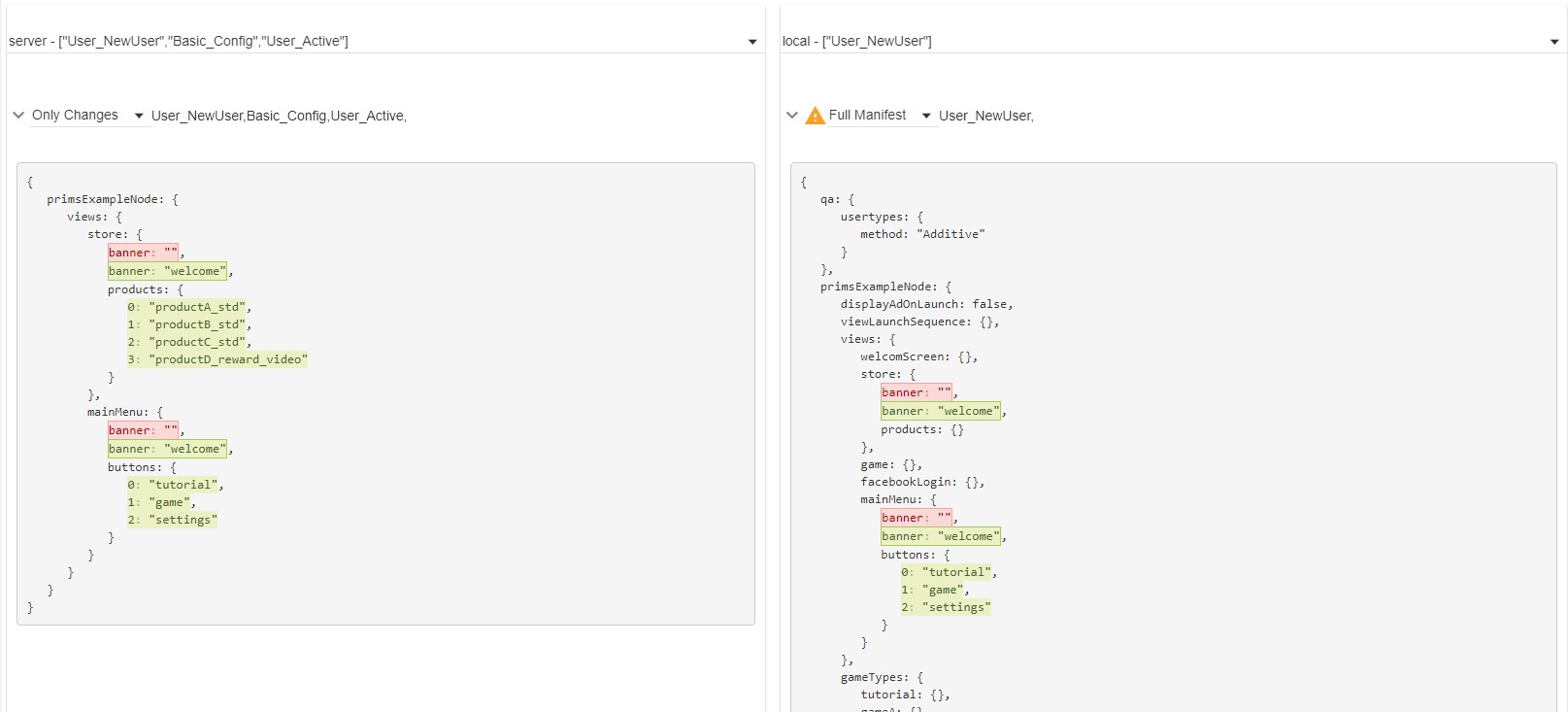
- Type: A drop down with all the currently generated manifests.
- The title will be where it was generated [server / local] - The usertypes that were used to generate it.
- NOTE: the generated manifest will be cleared if you leave the diff view.
- Warning Icon: If you’ve generated the manifest locally a warning icon will display to remind you this may not be accurate with what’s on the server.
- Type: Choose how the generated manifest should display.
- Only Changes: Will highlight changes and display only areas of the manifest that contain changes.
- Full Manifest: Will highlight changes and display the full contents of the manifest.
- Usertypes: A list of all Usertypes used to generate the manifest.