Overview
The old MoreFun legacy system is being phased out, but a full replacement hasn’t been implemented out yet. The old system is also having issues successfully responding to /lastupdate endpoint which is causing MoreFun clients to not update product lists. As a temporary solution we’ve setup a MoreFun proxy which will handle and respond to client requests for /lastupdate and /morefundata.
What Is It
The MoreFun proxy is a serverless API built using several AWS services. Route 53 catches the old more fun traffic and reroutes it to the MoreFun API Gateway. Gateway then handles the request and triggers a lambda function depending on which environment it’s directed towards (prod, staging, dev). The lambda function interacts with a unique s3 object setup for each game, using the last modified date to determine the /lastupdate times and returning the full object in response to a /morefundata request.
Known Issues
- There is a client issue that prevents it from loading ribbon products if there are fewer then 6 set in the data.
- Currently the system only works with dev and prod environments. The old MoreFun QA system was setup using a .net domain which we don’t have an ACM certificate for.
- There is no legacy MoreFun client for Android. All data can be setup for Android products and will respond to request, but there is no native Android client.
Product Setup
Setting up a new product or updating the MoreFun product list for an old product is still done through the Legacy MoreFun dashboard.
Setup / Update Proxy Data
For a product to work with the proxy it first needs to be setup in the old system (see previous section). Then using the Hope manifest dashboard select the “MoreFun Cross Promotion” and your platform and environment. The version should be the shortname setup in the legacy system.
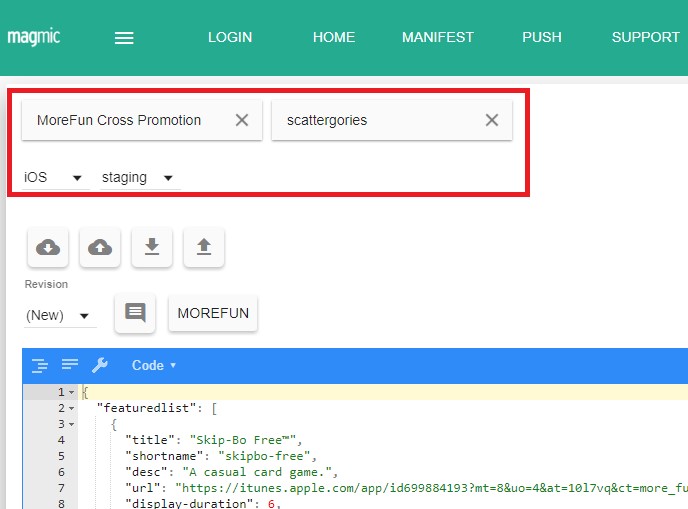
When you upload new data for a product the upload timestamp will be saved and used to determine the last update time for the /lastupdate endpoint. When a client requests /morefundata the contents of the JSON view data will be returned.
To help setup product you can click the “MOREFUN” button next to the revision history. This will open a helper dialog which will let you get morefun data from the legacy server. Enter the shortname of the product data you want to get and click the download button. When the data if fetched it will be displayed in the lower JSON view.
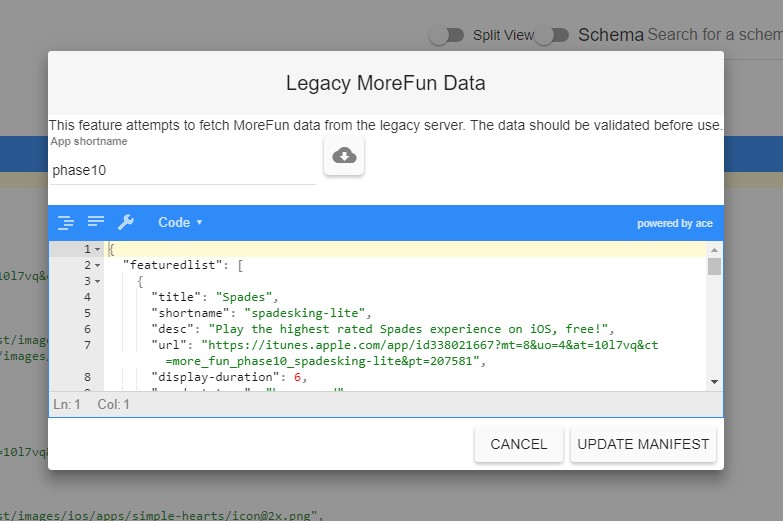
Clicking the update manifest button will update the JSON contents of the main view. The manifest still needs to be upload for the changes to take effect.