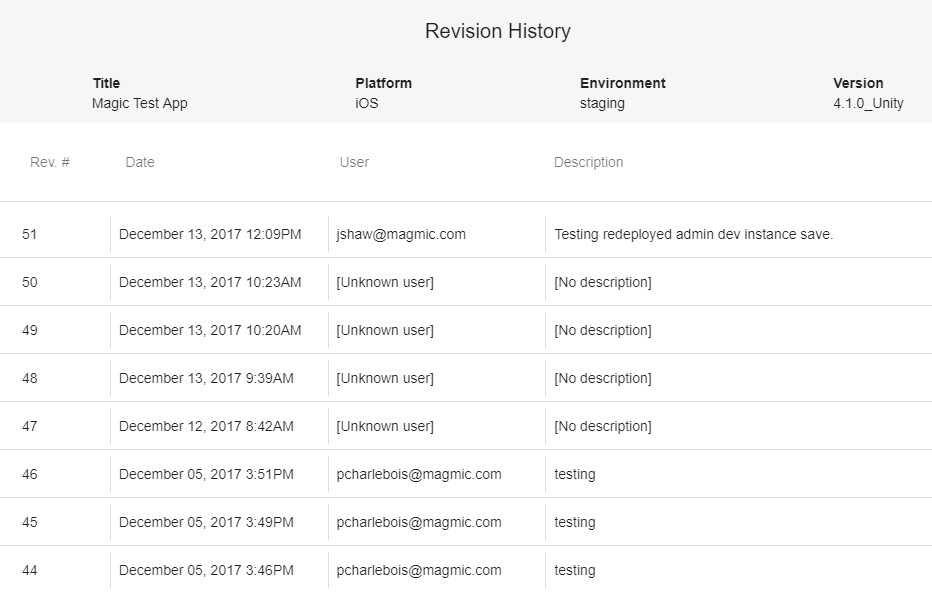
The General view will give you a breakdown of the number of users in each Usertype group as well as let you regenerate your current user usertype associations. You can also check the revision history of your current usertype data.
Usertypes breakdown
The Usertypes pie chart will display how many users exist for each usertype as well as what percentage of users that equates to.
- TODO - picture
Regenerating Usertypes
Clicking the regenerate useryptes button will regenerate the current usertypes table using the current Prism data saved on the server. This process is fairly fast with QA data but can take a while if you’re regenerating for production level data. It should be noted that the analytics data table will not be updated so the new usertypes will be based on the previous days’ analytics data.
Revision History
Revision history is saved when changes are made to Prism data. There are two levels of history, one for the general prism data for the game and another for the modifiers for a given version.