 Initialization Reference
Initialization
Hive Overview
The DarkMatter SDK uses the Hive system to control the initialization process and initializes the subsystems in order of their dependencies. This system includes the HiveManager and HiveDrone classes.
A class that is a subclass of HiveDrone is an initialization node.
Note: It is not possible to make an Objective-C class a subclass of a Swift class. Since HiveDrone is a Swift class this means any custom initialization nodes created by the app must be written in Swift.
Nodes can have dependencies on other nodes and will not be processed until all of the nodes it depends on have complete. Dependencies are specified in the implementaion of the node class by overriding the typeDependencies property.
For example, this would specify that a node depends on DarkMatterNode
override open var typeDependencies: [HiveDrone.Type] {
  get {
    return [DarkMatterNode.self]
  }
}
Note: If you override typeDependencies in a subclass ensure you include the dependencies of the superclass in the array returned from the subclass.
The DarkMatter SDK includes nodes to initialize it’s subsystems. These nodes can be used as is or they can be subclassed to be customized or overridden. At the very least you must subclass DarkMatterNode and GameServiceNode in order to initialize these systems with the proper tokens, ids, and keys for your app.
Once all your nodes are set up you tell the HiveManager what nodes are required for initialization by setting the HiveManager.requiredNodes property. The requiredNodes property is an array of Swift metatypes that tells the HiveManager which node classes to instantiate.
HiveManager.instance.requiredNodes = [TestAppDarkMatterNode.self,
                                      TestAppGameServiceNode.self,
                                      TestAppV5LoginNode.self,
                                      UserServiceNode.self,
                                      AdsNode.self,
                                      ChronosNode.self,
                                      StoreFrontNode.self,
                                      AnalyticsNode.self,
                                      TestAppFacebookNode.self]
You can then optionally set a HiveInitializationCompleteDelegate or HiveProcessesProgressDelegate before initializing the system if you would like to be informed of those events.
When the HiveManager is initialized it will process all the required nodes.
HiveManager.instance.addInitializationDelegate(self)
HiveManager.instance.addProgressDelegate(self)

HiveManager.instance.initialize()
Setting up Hive
The following will guide you through the minimum steps required to initialize Hive and create your subclasses for the DarkMatterNode and GameServiceNode.
Create a subclass of DarkMatterNode to initialize DarkMatter.
- Add a new Swift file to your project for the dark matter node.
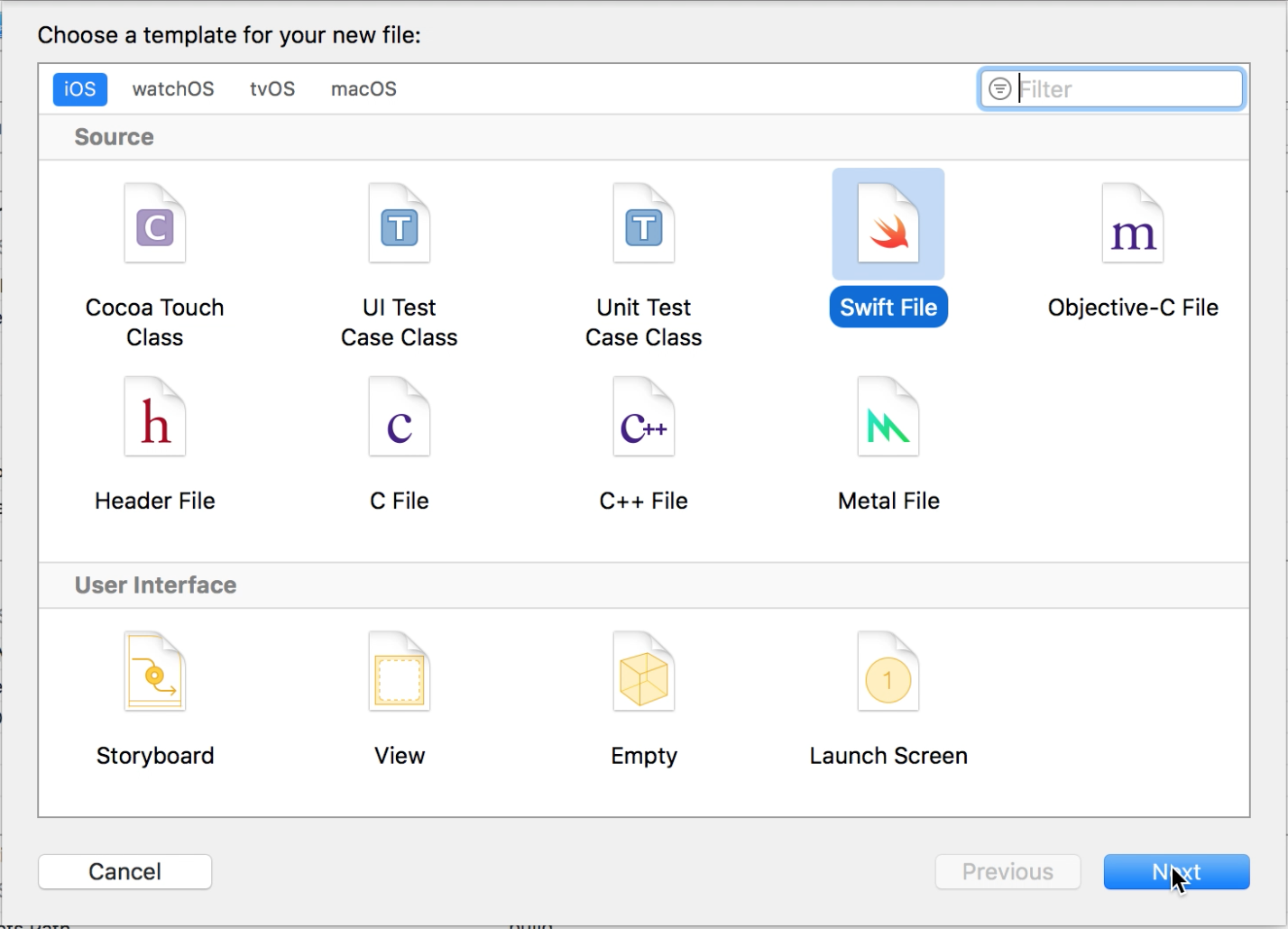
- You can name the class anything, for this example I named it MyAppDarkMatterNode.
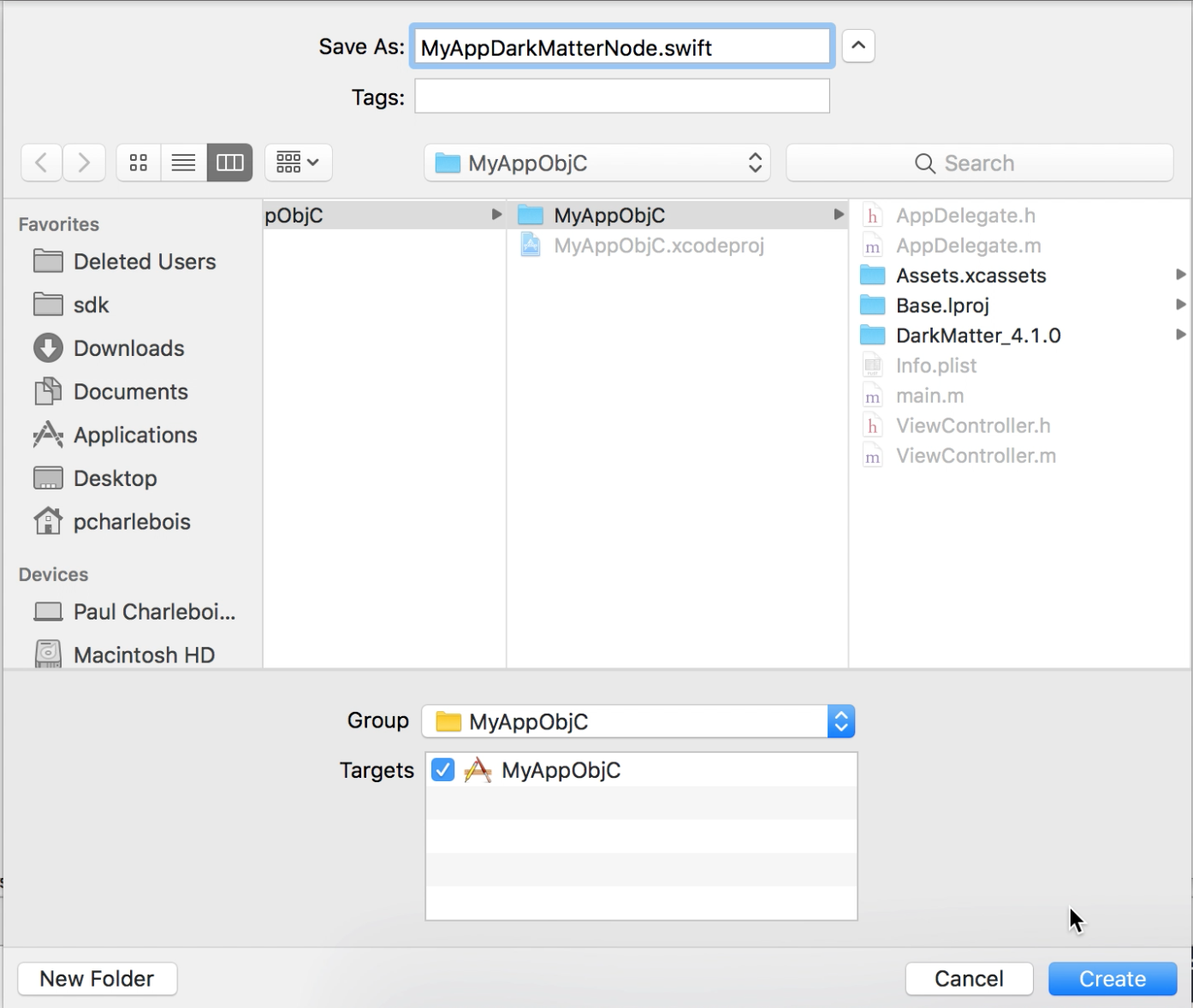
- If your project is Objective-C you may be asked to create a bridging header if you don’t already have one.
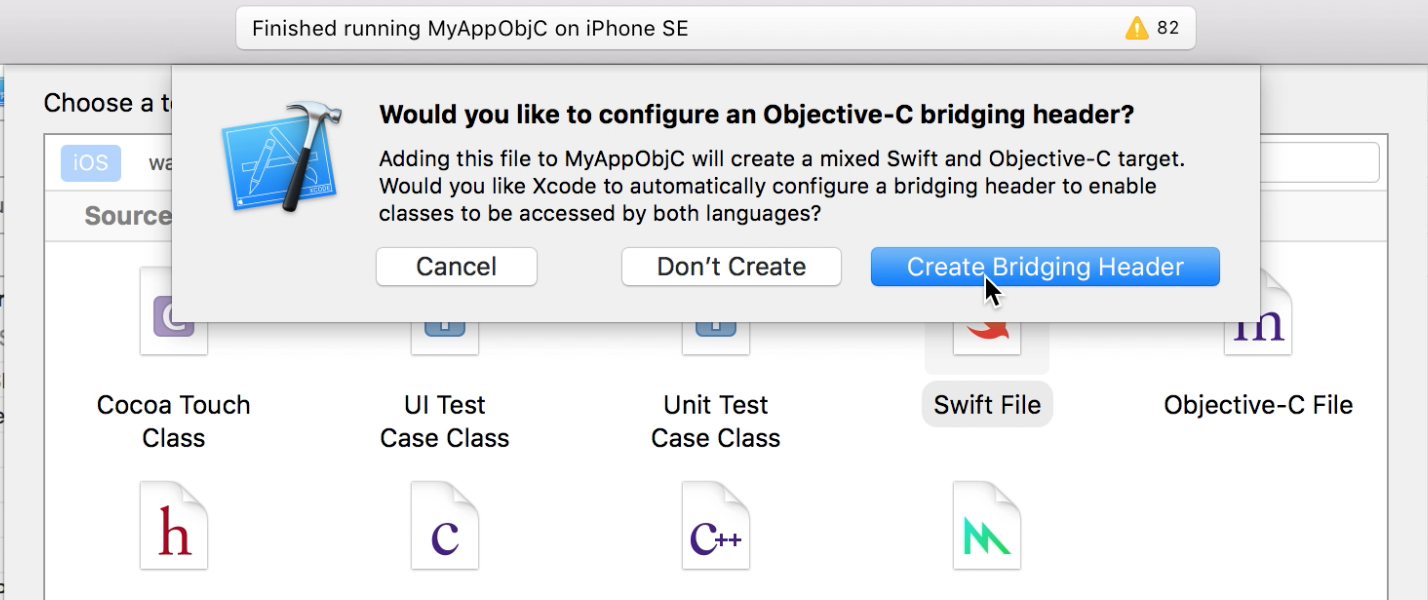
- Open up the new file and add the following code. Be sure to replace the placeholders with the appropriate values for your app.
import Foundation
import DarkMatter

public class MyAppDarkMatterNode: DarkMatterNode {
  override public func processNode() {
    processProgress = 0

    DarkMatter.instance.initialize(gameID:<YOUR_GAME_ID>,
                                  devToken:<YOUR_DEV_TOKEN>,
                                  prodToken:<YOUR_PROD_TOKEN>,
                                  isDebug: true, // this controls if devToken or prodToken is used and should be based on if this is a debug build or release build
                                  gameVersion: <YOUR_GAME_MANIFEST_VERSION>)

    finish()
  }
}
In your view controller (or the location you would like to start the initialization process) perform the following steps:
- Add the necessary imports
// Swift
import DarkMatter
// Objective-C @import DarkMatter; // You will also need to import your generated Swift header to be able to access the Swift class you added in the previous step. The name of the file would be your project name followed by -Swift.h #import "MyAppObjC-Swift.h"- (Optional) Implement the Hive delegate protocols.
// Swift
class ViewController: UIViewController, HiveInitializationCompleteDelegate, HiveProcessesProgressDelegate {
  // ...
  func onInitializationComplete() {
    LogService.log("Hive initialization is complete")
  }

  func onProcessProgressUpdated(currentProgress: Float) {
    LogService.log("Hive progress: \(currentProgress)")
  }
  // ...
}
// Objective-C @interface ViewController () <HiveInitializationCompleteDelegate, HiveProcessProgressDelegate> // ... @end @implementation ViewController // ... - (void)onInitializationComplete { [LogService log:@"Hive initialization is complete"]; } - (void)onProcessProgressUpdatedWithCurrentProgress:(float)currentProgress { [LogService log:[NSString stringWithFormat:@"Hive progress: %@", @(currentProgress)]]; } // ... @end- Configure Hive and start the initialization process.
// Swift
override func viewDidLoad() {
  // ...
  HiveManager.instance.requiredNodes = [MyAppDarkMatterNode.self]

  HiveManager.instance.addInitializationDelegate(self)
  HiveManager.instance.addProgressDelegate(self)

  HiveManager.instance.initialize()
  // ...
}
// Objective-C - (void)viewDidLoad { // ... HiveManager.instance.requiredNodes = @[MyAppDarkMatterNode.class]; [HiveManager.instance addInitializationDelegate:self]; [HiveManager.instance addProgressDelegate:self]; [HiveManager.instance initialize]; // ... }Run your app and you should now see the Hive initialization process in the console.
2017-10-27 14:47:26.274 MyAppObjC[50989:56410886] DarkMatter.Hive:: Queue processing started.
2017-10-27 14:47:26.276 MyAppObjC[50989:56411017] DarkMatter.Hive:: Started Node: MyAppDarkMatterNode
2017-10-27 14:47:26.564 MyAppObjC[50989:56410886] Hive progress: 0
2017-10-27 14:47:26.565 MyAppObjC[50989:56410886] DarkMatter.Hive:: Completed Node: MyAppDarkMatterNode (Time to process: 0.289)
2017-10-27 14:47:26.565 MyAppObjC[50989:56411025] DarkMatter.Hive:: Queue finished processing all nodes in 0.291 seconds.
2017-10-27 14:47:26.569 MyAppObjC[50989:56410886] Hive progress: 1
2017-10-27 14:47:26.570 MyAppObjC[50989:56410886] Hive initialization is complete
Create a subclass of GameServiceNode to initialize GameService.
- Add a new Swift file to your project for the game service node.
- You can name the class anything, for this example I named it MyAppDarkMatterNode.
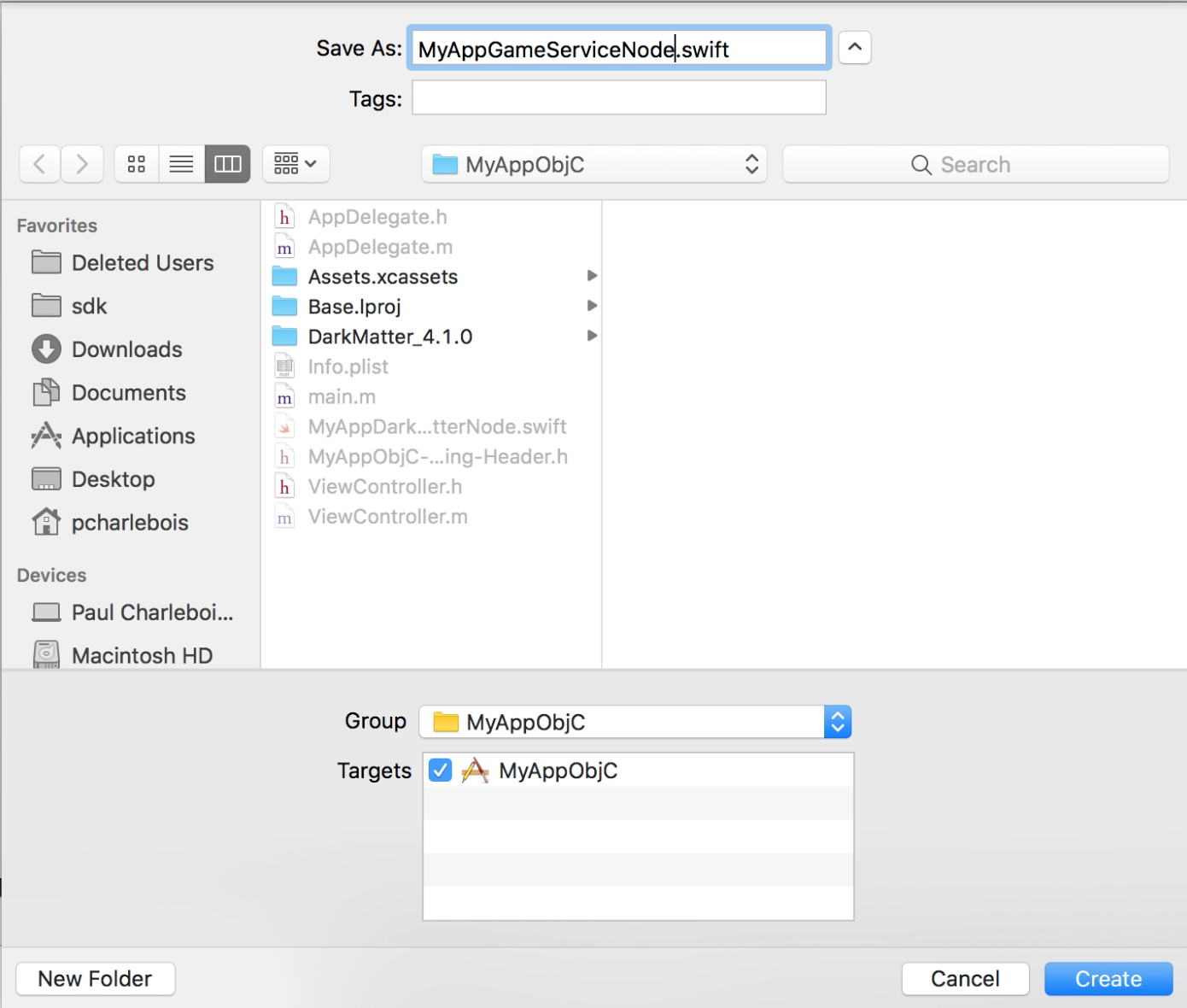
- Open up the new file and add the following code. Be sure to replace the placeholders with the appropriate values for your app.
  import Foundation
  import DarkMatter

  public class MyAppGameServiceNode: GameServiceNode {
    override public func processNode() {
      processProgress = 0

      let config = GameServiceConfiguration(gameID: <YOUR_GAME_ID>,
                                            skuid: <YOUR_SKUID>,
                                            url: <V5_URL>,
                                            secret: <YOUR_GAME_V5_SECRET>,
                                            key: <YOUR_GAME_V5_KEY>,
                                            retries: [0.5, 1.0, 3.0])
      GameService.instance.initialize(config: config)
        .always {
          self.finish()
        }
        .catch { error -> Void in
          LogService.logError(error.localizedDescription)
        }
    }
  }
- Add the GameServiceNode to the requiredNodes array.
// Swift
// ...
HiveManager.instance.requiredNodes = [MyAppDarkMatterNode.self,
                                      MyAppGameServiceNode.self]
// ...
// Objective-C
// ...
HiveManager.instance.requiredNodes = @[MyAppDarkMatterNode.class,
                                       MyAppGameServiceNode.class];
// ...
- Run your app and you should now see the GameService node being initialized as well.
2017-10-27 14:45:09.807 MyAppObjC[50685:56406588] ::GameService:: loadCredentials loaded installId:
2017-10-27 14:45:09.808 MyAppObjC[50685:56406588] DarkMatter.Hive:: Queue processing started.
2017-10-27 14:45:09.809 MyAppObjC[50685:56406772] DarkMatter.Hive:: Started Node: MyAppDarkMatterNode
2017-10-27 14:45:10.123 MyAppObjC[50685:56406588] Hive progress: 0
2017-10-27 14:45:10.125 MyAppObjC[50685:56406588] DarkMatter.Hive:: Completed Node: MyAppDarkMatterNode (Time to process: 0.315)
2017-10-27 14:45:10.126 MyAppObjC[50685:56406766] DarkMatter.Hive:: Started Node: MyAppGameServiceNode
2017-10-27 14:45:10.129 MyAppObjC[50685:56406588] Hive progress: 0.5
2017-10-27 14:45:10.132 MyAppObjC[50685:56406588] GameService Initialization started
2017-10-27 14:45:10.133 MyAppObjC[50685:56406588] ::GameService:: loadCredentials loaded installId:
2017-10-27 14:45:10.135 MyAppObjC[50685:56406588] GameService identify - started.
2017-10-27 14:45:10.136 MyAppObjC[50685:56406588] ::GameService:: Post request with no nonce so assuming identify signing.
2017-10-27 14:45:10.616 MyAppObjC[50685:56406588] ::GameService:: saveCredentials saved installId:24890
2017-10-27 14:45:12.029 MyAppObjC[50685:56406588] DarkMatter.Hive:: Completed Node: MyAppGameServiceNode (Time to process: 1.902)
2017-10-27 14:45:12.029 MyAppObjC[50685:56406588] Hive progress: 1
2017-10-27 14:45:12.029 MyAppObjC[50685:56406771] DarkMatter.Hive:: Queue finished processing all nodes in 2.221 seconds.
2017-10-27 14:45:12.030 MyAppObjC[50685:56406588] Hive initialization is complete